
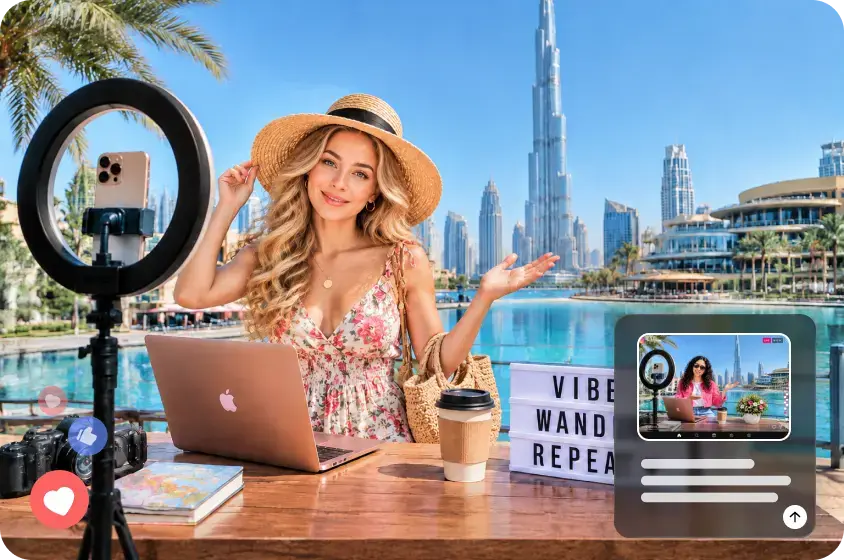

You have ideas for a channel, but every time you think about filming yourself, the project stalls. Maybe you want to keep your work separate from your private life, or you simply prefer writing to talking into a camera. An ai influencer can give your content a virtual host while you stay behind the scenes. Tools such as Dreamina let you create that character from a prompt or image reference and reuse it in visual content, so appearing on screen yourself becomes a choice.
The useful question is what the character will help you publish. A vocabulary lesson, a book recommendation, and a fictional comedy series all need different kinds of presentation. Start with one format you would enjoy making repeatedly, then design a host that belongs in it.
An AI influencer is a virtual persona whose images or performances are created using AI tools and whose public presence is managed by a person or team. A generated portrait is only the starting asset. The persona takes shape through its recurring appearance, subject, tone, and interactions with an audience.
You do not need an existing following to experiment with this format. You can begin with a virtual presenter for a small series and decide later whether the character deserves a larger role. Nor does it have to look like a realistic human: an illustrated host may suit playful explainers better.
A recurring character is useful when viewers benefit from a familiar guide. It can introduce a question, react to a fictional situation, or connect several parts of an explanation. If your content is a spreadsheet tutorial, however, the spreadsheet should occupy most of the screen. Use the host where it adds something and let the actual demonstration carry the lesson.
This also changes what you prepare. Instead of arranging your own lighting and appearance for each recording, you prepare reusable character references and scenes. There is still scripting, editing, and quality control; the work shifts rather than disappears.
Choose a first series you can actually sustain
Before deciding on hair color or clothing, finish this sentence: “This account helps a specific audience do a specific thing.” For example: “This account helps intermediate English learners choose natural expressions for everyday situations.”
That promise gives a virtual host a job. The host can introduce a common wording problem, while captions show alternatives and short examples explain the difference. You already have a repeatable episode structure without needing a fictional life story.
Other workable starting points include book discussions built around one argument, writing tips that compare two versions of a sentence, and original fictional scenes featuring recurring characters. Choose a subject you can research or explain with confidence. Generating a presenter does not supply the knowledge behind the presentation.
For the walkthrough below, imagine an English-learning account with an original virtual host called Maya. This is an illustrative project, not a reported account or a claim about audience growth. Its first series answers one question per post: “What could I say instead?”
Design a host around the content, not a trend
Maya needs to be recognizable at a small size and leave room for language examples. A clear shoulder-up composition, simple clothing, and an uncluttered background would serve that purpose better than a dramatic full-body fashion image.
Write a short character brief before generating anything. Fix a few identifying features, such as a chin-length dark bob, round glasses, a muted green cardigan, and a friendly, attentive expression. Separately define the presentation style: soft lighting, restrained colors, and space beside the host for captions.
Keep the voice equally specific. Maya explains differences with short sentences and ordinary situations. She avoids announcing that every phrase is “powerful” or “game-changing.” Those rules help the account feel coherent even when viewers encounter a post without its profile name.
You can change poses, settings, and expressions later. Keeping the core design stable gives you a reference against which to judge those changes. An appealing image that looks like a different person is less useful than a simpler image that fits the series.
Create your first AI influencer
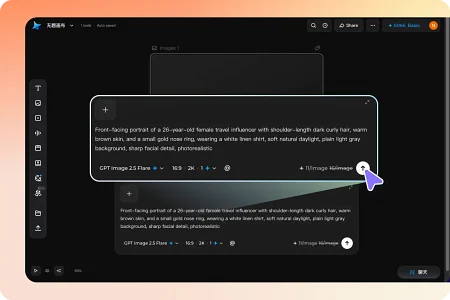
Use the platform to generate an initial character image from your brief. Its AI influencer workflow supports text prompts, photo references, and saving a selected character for reuse. Start with an original design or reference material you have permission to use.
Here is an example prompt for the imagined language account:
“Original illustrated adult presenter with a chin-length dark bob, round glasses, and a muted green cardigan. Friendly, attentive expression, shoulder-up view, soft even lighting, simple cream background. Position the presenter on the left, leaving clear space on the right for lesson captions. No text.”
Treat this as a design starting point, not a formula for identical results. Compare the candidates at the size viewers will see on a phone. Check whether the glasses are well formed, the face reads clearly, and the composition leaves enough room for your examples.
Select one approved reference and save it before producing additional scenes. Avoid choosing a new favorite face for every topic. That can make a series look like several unrelated accounts.
Next, try one modest variation: the same host with a questioning expression against the same background. Compare it with the approved image before changing the setting or clothing. This small test reveals whether the design is usable beyond its first portrait.
Turn the character into a useful first post
For Maya’s first lesson, consider the question “What can I say instead of ‘very good’?” The answer should show why alternatives are not interchangeable. A meal might be delicious, a performance impressive, and a plan promising. Context supplies the lesson.
Build a short sequence around that distinction. Open with the question beside the host, show the three examples, then ask viewers to choose a word for another sentence. The character welcomes the audience; the examples give them a reason to stay.
Keep exact wording editable in your layout so spelling and punctuation can be corrected independently of the character image. Test readability on a phone. If you must shrink the examples to fit beside the host, reduce the host’s size or move it to the opening frame.
A still-image carousel is enough to test this idea. If spoken delivery would improve the explanation, the platform also supports bringing a saved character into video. Begin with a simple shot and limited movement, then review the face, lip movement, and audio before using the clip.
For a language lesson, listen particularly carefully to pronunciation and check that captions match the spoken words. Replace or revise any unclear segment. A convincing-looking presenter cannot compensate for teaching the wrong expression.
Solve the problems that make virtual hosts feel inconsistent
The face changes between posts. Return to the approved reference and simplify the next request. Change the background first while keeping the framing and expression close to the original. Add further variations separately so you can identify what caused the drift.
The feed looks repetitive. Vary the teaching scene rather than redesigning the person. Maya could introduce a restaurant example at a café table and a workplace example against a simple office background. Keep the recognizable features and caption treatment.
The host overwhelms the information. Give it less space. A vocabulary comparison needs readable sentences; a software tutorial needs a visible interface. Reuse the character for introductions, transitions, or a closing question rather than placing it over every frame.
Production takes longer than expected. Narrow the first series to one aspect ratio, one caption layout, and a small set of expressions. Record the actual time spent preparing, generating, correcting, and assembling each post. That tells you whether the format is practical for your schedule.
The persona feels generic. Give it a clear editorial habit. Maya might always explain an expression through two contrasting situations. A recognizable way of teaching can distinguish the account more meaningfully than another elaborate outfit.
Keep the creator behind the character accountable
Introduce the host as virtual in the profile or an introductory post. A description such as “English examples explained by Maya, a virtual host; lessons written and checked by the account creator” makes the arrangement understandable.
Keep factual responsibility with the real operator. Verify definitions and quotations, distinguish invented scenes from actual events, and correct mistakes visibly when necessary. For a book discussion, base the argument on the book itself. For a product demonstration, use genuine evidence of what the product does.
A virtual character can protect your choice not to appear on camera, but it does not automatically make an account anonymous. Before publishing, inspect backgrounds, uploaded references, captions, and profile details for personal information you intended to keep private.
The character also does not need invented qualifications or fabricated testimonials. Let readers evaluate the quality of the explanation and make it clear how they can ask questions or report an error.
Try three posts before planning thirty
Make a small pilot with three different questions using the same host and layout. For Maya, that could mean alternatives to “very good,” polite ways to disagree, and the difference between “say” and “tell.” Each post should solve its own problem while looking like part of the same series.
Review the pilot on two levels. First, check the work itself: can you recognize the host, read the text comfortably, and follow the explanation? Second, consider production: which parts were reusable, and which required repeated correction?
If you publish the pilot, look for specific feedback. Questions about the examples can suggest useful follow-ups. Confusion about whether the host is real signals a need for a clearer introduction. Treat early views and likes cautiously; a small sample cannot establish what caused an account’s performance.
You can start creating without deciding that your own face must become part of the project. Choose one useful series, give its virtual host a clear role, and finish a few posts. That is a manageable way to discover whether an AI influencer helps you share the ideas you have been keeping off camera.
Also Read-How Plumbers Find Hidden Sewer Line Issues Before They Become Emergencies